Side Quest - RASP and SSL Pinning bypass on PayPal Mobile

Recently, a security researcher reached out to me with a message “hey I found a bug on PayPal Web and I’m trying to reproduce it on the Android app but I’m stuck on SSL pinning….”.
This set off a series of events of me spending my weekend on this rabbit hole of an app. This post is the learnings from the weekend.
No release of scripts this time. However the blog post should be able to guide you towards writing your own :).
I hope this helps you or your LLMs identify and bypass similar checks on other apps.
In this case, I focused on the latest release (at the time) of PayPal app, com.paypal.android.p2pmobile 8.107.0.
The goal was simple: To bypass the pinning and intercept its traffic in Burp (especially to api-m.paypal.com).
I went in expecting a simple SSL pinning bypass and came out with a stack of bypasses on various layers.
Some of it has to probably do with my own test environment caveats:
- I used my old test phone OnePlus 6T (rooted) which PayPal did not support. Sideloading was possible and the app worked fine for my usecase with sideloading.
- The app has emulator detections in place, which I quickly noticed when trying to install on an emulator and did not bother to bypass. As the goal was ssl pinning bypass, I just switched back to physical test device.
With that aside, let’s get into the details of each problem I faced…
Frida can’t attach - Typical anti-debugging.
The first challenge was a basic one: Frida couldn’t spawn the app in the usual way. App kept crashing and spawn kept dying before it starts.
$ frida -U -f com.paypal.android.p2pmobile
Failed to spawn: unable to pick a payload base
$ frida -U 12690
Failed to attach: unable to read remote memory
Turned out, this was because of a self-ptrace watchdog. The app forks a child that ptraces the parent, which takes the ptrace slot before Frida can use it. You can see the watcher parked on the process:
$ grep TracerPid /proc/12690/status
TracerPid:  12731
And you couldn’t just kill it, because it’s using PTRACE_O_EXITKILL and takes the app down with it.
Solution
Here, instead of oldschool bypasses, the solution was to simply use a Zygisk module with Frida gadget. I had to keep the frida CLI on the same version as the gadget (17.9.8 here).
Zygisk runs code inside the app from the moment Zygote forks it, which means the gadget is mapped into the process before any of the app’s own code executes.
The gadget crashes the app
Now I moved on to face another challenge.
The app froze at the splash screen. And the first time Frida client connected to it, the whole process segfaulted.
F libc: Fatal signal 11 (SIGSEGV), code 1, fault addr 0x0 in tid (gum-js-loop)As can be seen in the crash log, the faulting thread is gum-js-loop, which is Frida’s own JavaScript thread.
This means, that it was not a problem because of PayPal blocking Frida, but because Frida’s gadget was corrupting itself on my environment or with PayPal package (idk).
After a lot of debugging and clauding, I found that the problem was the loader. ZygiskFrida tries to hide the gadget by remapping the gadget’s pages into anonymous memory, so anything scanning the process maps sees an unnamed region rather than libfrida-gadget.so.
For some reason, in my setup this relocation seemed to crash the process.
Solution
Since in my case, that hiding was not required at first, the fix was to stop the loader from relocating the gadget in the first place. This was done by RETing the function immediately when it’s called and before this relocation happens.
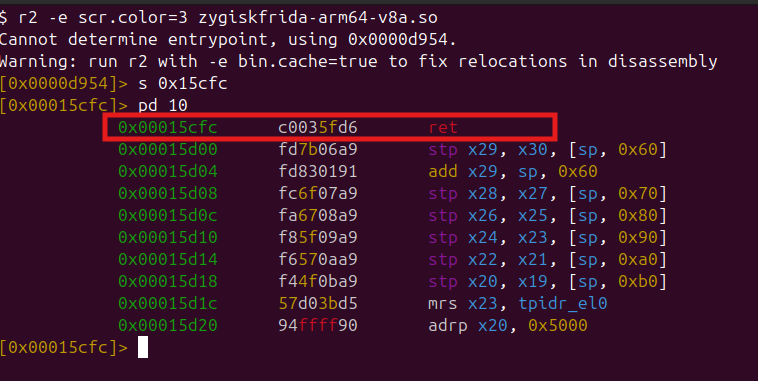
I disassembled ZygiskFrida’s native library (arm64-v8a.so), traced the routine that performs the remap (offset 0x00015cfc), and overwrote the first four bytes of the function with a RET instruction.
00015cfc: c0 03 5f d6 retOnce done, the gadget loads without trying to hide itself. This solved the crashing problem.
This however, became the reason for the next problem :)
The RASP reads thread names
Now with the gadget non-hidden, PayPal’s own runtime protection detected it and the app froze at the loading spinner. Here app appears to use RASP styled protection using a native component called - sspog, likely under DexGuard. This component has a Frida-specific check and looks for the thread names under /proc/self/task/*/comm, which Frida creates when it starts.
Manually, these default frida threads can be found here:
$ cat /proc/12940/task/*/comm | sort -u
frida-gadget
gdbus
gmain
gum-js-loop
pool-spawner
The app checks for these using simple string match. Also, since the gadget no longer hides itself (from the last step), these are visible to the app. Patching the loader’s stealth in the last step stopped the crash, and this means I now had to put the hiding of threads back myself, hopefully without crashing the gadget.
Solution
If the detection is just a string match against known constants, then solution is to change the constants.
I rebuilt the gadget with its thread names renamed, keeping each replacement the same length as the original so nothing in the ELF shifts and no offsets break. Only the Frida’s protocol strings (frida:rpc, frida/runtime) are left as it is for the client and the gadget to talk to each other. (I also didn’t want to spend time rebuilding frida with new thread names to match the gadgets :))
| |
This simply bypassed the checks and allowed the app to run past the loading screen.

Getting it to run on a rooted device
As with any financial app, PayPal app does not run on the rooted device. So, this required a root check bypass as well. Luckily it was straight forward.
The “use browser” check inside the app does the usual checks:
| |
isRootDetected turns out to be native sspog again, along with a File.exists check for the usual su paths - /sbin/su, /system/xbin/su etc.
The interesting part was that PayPal does not run this check only in its main process; it spawns short-lived isolated service processes and runs the native checker inside those, so hiding root from only the main process does not work.
Solution
Because the check is ordinary File.exists plus a native root checks, ordinary root hiding covers it, as long as it covers every process. No need for frida here, as the Magisk DenyList and Shamiko helps with the hiding.
Just make sure that DenyList: has the name of every one of the app’s isolated processes, not just the main package.
com.paypal.android.p2pmobile
com.paypal.android.p2pmobile:sspog
com.paypal.android.p2pmobile:remoteProcessIsolatedCheck
com.paypal.android.p2pmobile:remoteProcessIsolatedNativeCheck
Another minor thing from my setup: Since the app was sideloaded: PayPal reads getInstallerPackageName, so the installer has to be set to com.android.vending to look like a normal Play Store install.
(I didn’t know a check like this existed before this :))
The Random Startup Problem
Once everything was working, the gadget started to die after a few seconds of the app launch and injection. After some more analysis, it turned out to be server-side connections and loading of new components causing it.
It was Tap-to-Pay. My account had a Payair NFC migration enabled from PayPal. This seemed to pull the Thales payment SDK at startup and Thales is a card-payment SDK with its own anti-frida checks, separate from the app’s RASP. Thales SDK ran its checks right after the app starts up.
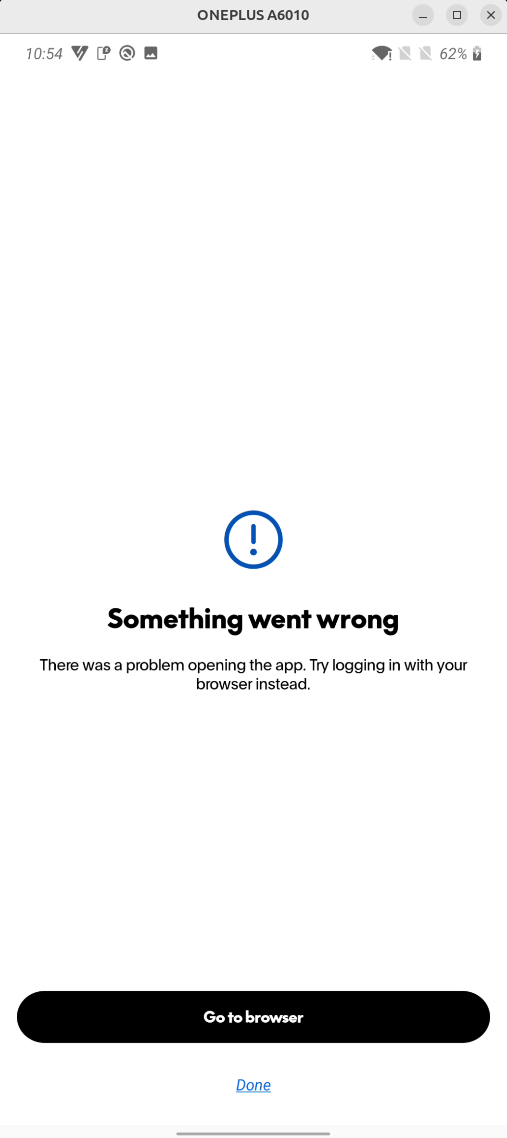
Since the bypasses above were not targeting this SDK, the app just showed “Something went wrong, try logging in with your browser” error after a few seconds of starting up.
Solution
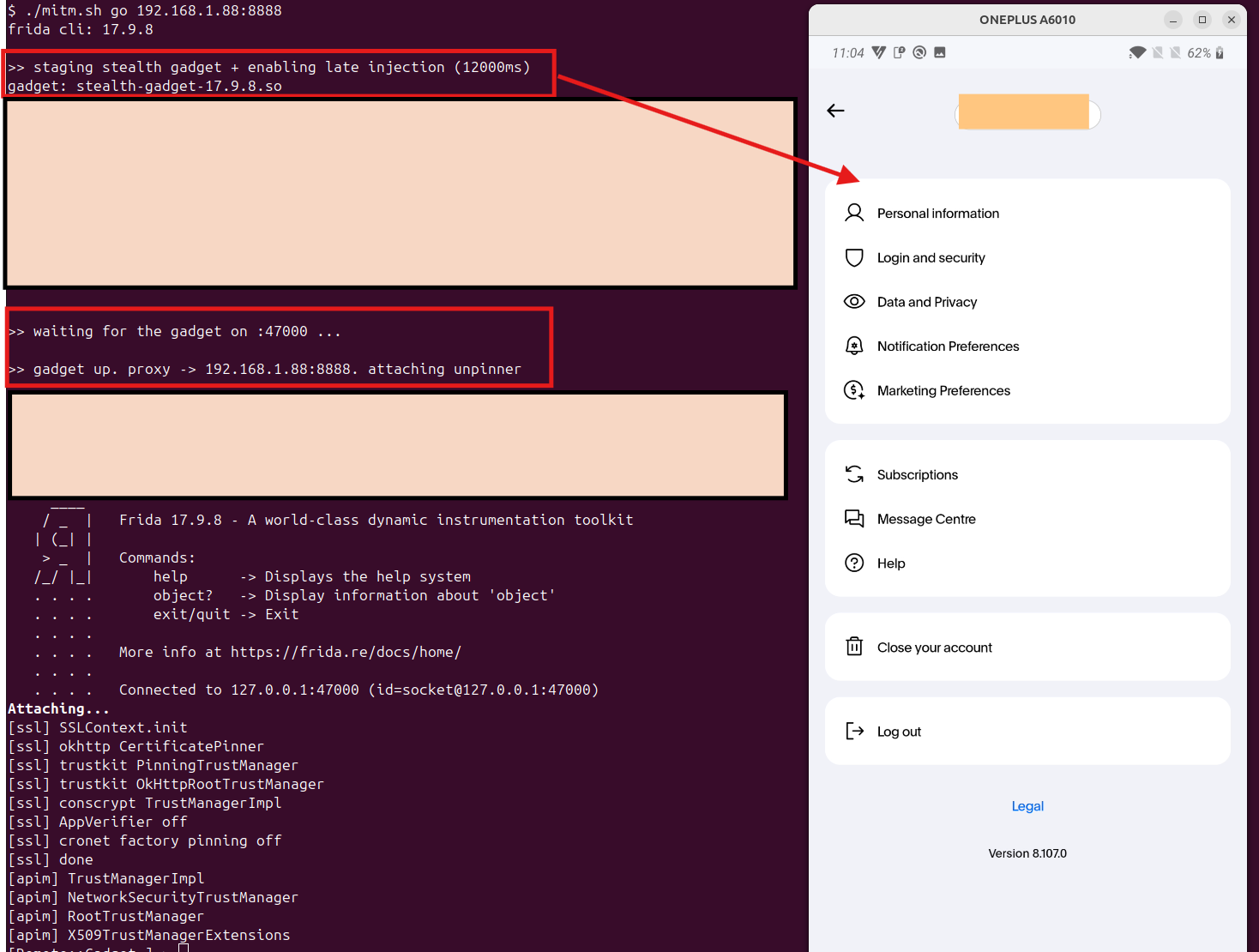
The Thales check ran right after startup - So the solution was to not be there at startup and perform gadget injection later. I delayed the injection and let the app get through its own startup checks first.
Sadly, the error screen itself stayed there even after delayed injection. But luckily this was not a problem and can be easily bypassed being faster to tap on any other option in the app before this screen shows up.
I tried to bypass this by disabling the whole activity as well, but disabling it crashed the app. Fast tapping was the best solution for me here :P
The pinning!
After everything else, the pinning itself was the easy part.
PayPal pins with OkHttp’s CertificatePinner and TrustKit. The only new thing was that the connections go through check$okhttp - which was likely not the stock function from the library.
So, specifically hooking this function was necessary.
Solution
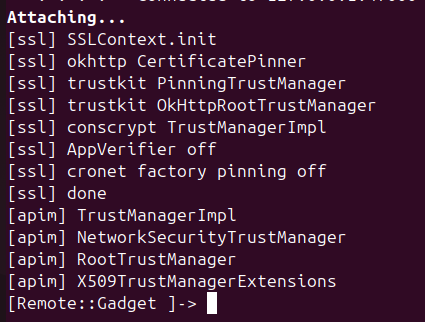
So you hook both entry points, and then apply the same idea across the rest of the stack: TrustKit’s trust managers, Conscrypt’s TrustManagerImpl, a permissive TrustManager pushed into SSLContext, and the integrity verifier turned off.
| |
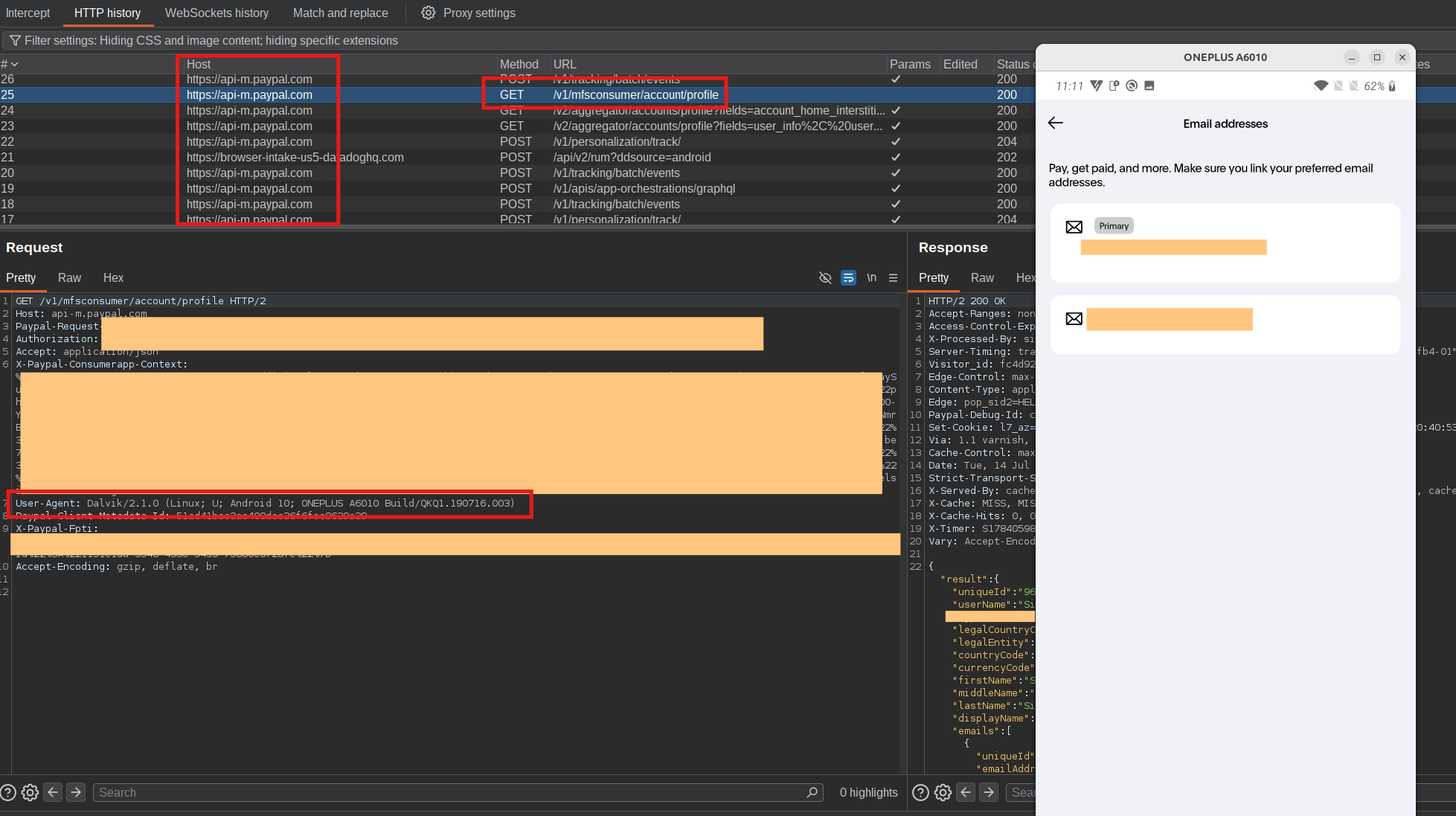
Why I did not just patch the APK
One approach for all of this is to find all checks and patch the APK + re-sign it.
But I assumed DexGuard will check for signatures at startup and patching will fail + this was just a sidequest and I was too lazy to try APK patching :)
References
- Frida and the frida-gadget releases
- ZygiskFrida, Magisk, Shamiko
- DexGuard
- OkHttp
CertificatePinner, TrustKit, Conscrypt